
Image
Draws a registered resource, fitted into a square box. A tree never carries image bytes, only a handle that each client fetches and caches by hash.
ui.image
Example
Section titled “Example”new UiImage{ Key = "icon", Source = UiValue.From(() => state.Value.ConditionIcon), Size = 0.16, Transition = UiComponentImageTransitions.Crossfade,}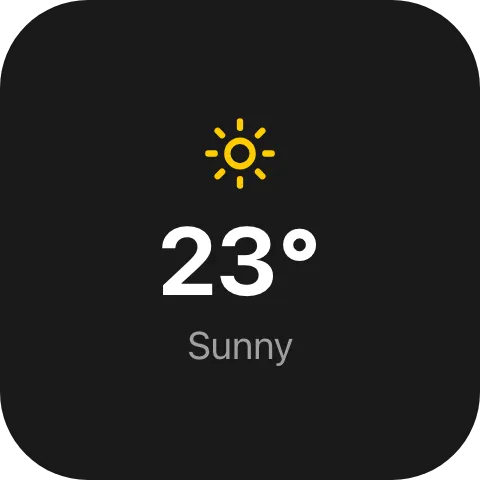
A weather-condition icon that fades to the new one when the condition changes, adapted from the built-in
Weather widget. ConditionIcon is a UiResource handle.
A plugin registers its own images with IIntegrationContext.UiResources; see
Registering your own images.
Changing artwork smoothly
Section titled “Changing artwork smoothly”Transition = UiComponentImageTransitions.Crossfade,Without Transition, a new Source replaces the old image without a fade, as soon as it can be drawn.
Dimming artwork
Section titled “Dimming artwork”Brightness = 0.6,Saturation = 0.55,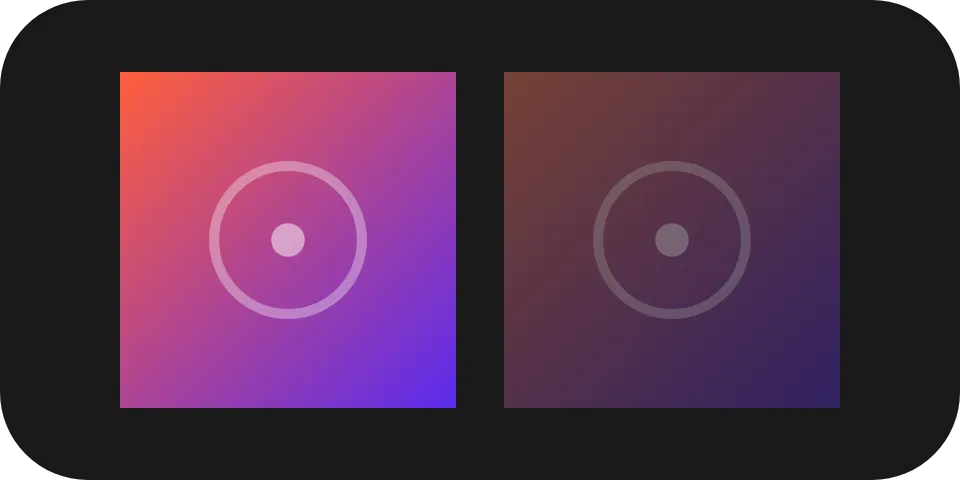
A paused cover, as the built-in Music player draws it. Brightness changes the artwork itself and looks the
same on any background - use it, not a lower Opacity, for “the same picture, darker”. Opacity lets what
is behind show through. Saturation = 0 draws in greys.
Recolouring an icon
Section titled “Recolouring an icon”Tint = "#4f8cff",Draws the image as a silhouette in that colour: every pixel keeps its own transparency, so a white icon on a transparent background becomes a blue icon, while an image without transparency becomes a solid rectangle. The built-in Slider uses it for its Icon Color setting.
A source that may be missing
Section titled “A source that may be missing”Source = UiValue.Optional(() => state.Value.Icon is { } icon ? UiValue.Of(icon) : UiValue.None<UiResource>()),An absent or unresolvable source draws nothing. Wrap the image in a UiWhen instead if it
should not take up space either.
Properties
Section titled “Properties”| Property | Values | Default | Meaning |
|---|---|---|---|
Source (source) |
UiResource handle |
Nothing is drawn | The resource to draw. |
Size (size) |
UiSize length |
Left to the reader | The edge of the square box the image is fitted into, preserving aspect ratio and never cropped. |
Transition (transition) |
UiComponentImageTransitions: crossfade |
The new image replaces the old without a fade | How a change of Source is drawn. |
Opacity (opacity) |
0..1 |
Fully opaque | How opaque the image is drawn. |
Brightness (brightness) |
0..2 |
1 |
A multiplier of the image’s own luminance. |
Saturation (saturation) |
0..2 |
1 |
A multiplier of the image’s own saturation; 0 is greyscale. |
Tint (tint) |
#rrggbb |
The image’s own colours | Draws the image in this colour, keeping each pixel’s transparency. |
MainSize (mainSize), Fill (fill) |
See Sizing | Size |
The image’s extent along the parent stack’s main axis. |
Events
Section titled “Events”None. ui.image is never interactive. For a tappable image, use a Button with
Source set; it adds Fit, Zoom, OffsetX and OffsetY framing on top of Opacity, Brightness and
Saturation.
Children
Section titled “Children”None. ui.image is a leaf.
Layout
Section titled “Layout”An image is size on both axes, fitted into a square box. Along its parent stack’s main axis it takes
mainSize or fill if declared, otherwise size is what a reader measures it at without a font. See
Sizing.
Reader behaviour
Section titled “Reader behaviour”- A
sourcethat cannot be resolved draws nothing; it never fails the tree. - Fit the image into the square box preserving aspect ratio; never crop.
crossfadeis normative: hold the outgoing artwork until the incoming one has decoded, then reveal it over 220 ms on an ease-out curve, from fully transparent at scale 1.02 about its centre to fully opaque at scale 1.- Artwork that fails to decode replaces the outgoing artwork at once, with no fade.
- Without
crossfade, a newsourcethat arrives together with newopacity,brightness,saturationortintvalues keeps the outgoing image drawn with its own values until the incoming image can be drawn, then switches the image and its values in the same frame. A new value for an unchangedsourceapplies at once. brightnessis normative: multiply each channel by the value, beforesaturationand before compositing atopacity, and clamp each channel rather than wrapping it.saturationis normative:out = luma + saturation * (channel - luma), withluma = 0.213 R + 0.715 G + 0.072 B, applied afterbrightness.tintis normative: every pixel takes the colour and keeps its own alpha, thenopacityapplies. A reader that does not implement the key, or whose engine can neither filter nor mask, draws the image in its own colours.- An animated image follows Animated pictures: its own timeline,
never restarted by a change of
tint,opacity,brightness,saturationorzoom. An engine that can only mask drawstinton a second image, whose play is its own.