
Publish a plugin
A plugin reaches the Store from a GitHub release. The release runs the Macro Deck publishing workflow, which uploads a build to the Creator Portal. You pick the build there and submit it.
GitHub release v1.0.0 -> build in Builds -> Create release -> Add to submission -> Submit for ReviewBefore you start:
- A Project of type Plugin / Integration.
- A public GitHub repository with the plugin. The
idinmanifest.jsonmust equal the Project’s Package ID.
1. Connect the repository
Section titled “1. Connect the repository”Open Builds and select Connect GitHub. Install the Macro Deck Platform App on your account or organization if GitHub asks for it.
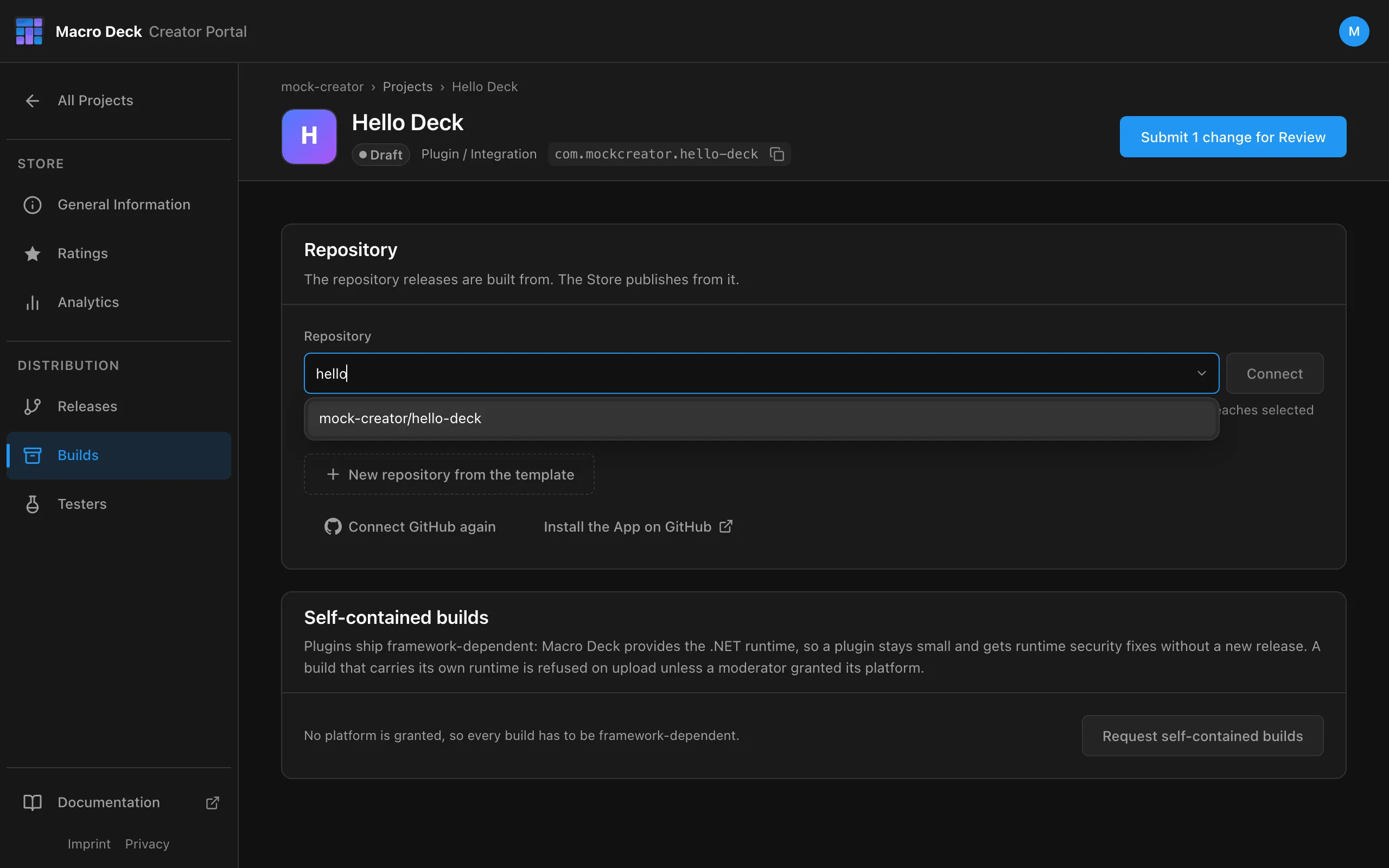
- Search your repositories: type any part of the name, pick the repository and select Connect, or
- New repository from the template creates a public repository from the plugin template.
One repository per Project, one Project per repository. Private repositories are not offered.
Change the repository
Section titled “Change the repository”Select Change next to the connected repository to pick it again, for example after you moved it to a GitHub organization or renamed it.
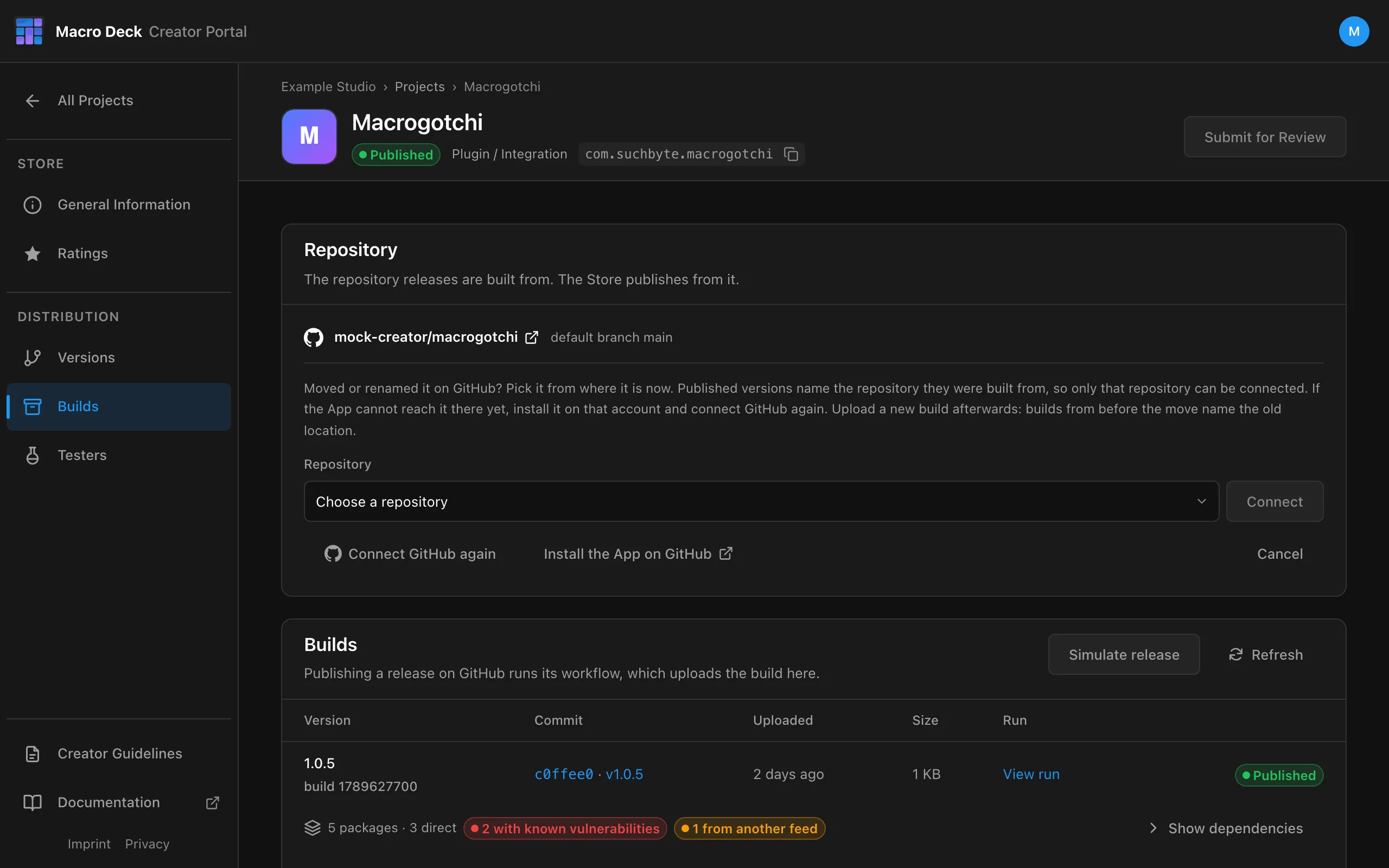
- If the repository moved to another account, install the Macro Deck Platform App there and select Connect GitHub again first, so the picker offers it.
- Once a version is published, only the same GitHub repository can be connected: moved or renamed is fine, a different repository is refused. Disconnect is no longer offered.
- Upload a new build afterwards. Builds from before the move name the old location in their
manifest.jsonand do not pass review. - After a Project was transferred to you by another person, builds are refused until you connect its repository again here.
2. Add the release workflow
Section titled “2. Add the release workflow”While there are no builds, the portal checks the default branch for the workflow.
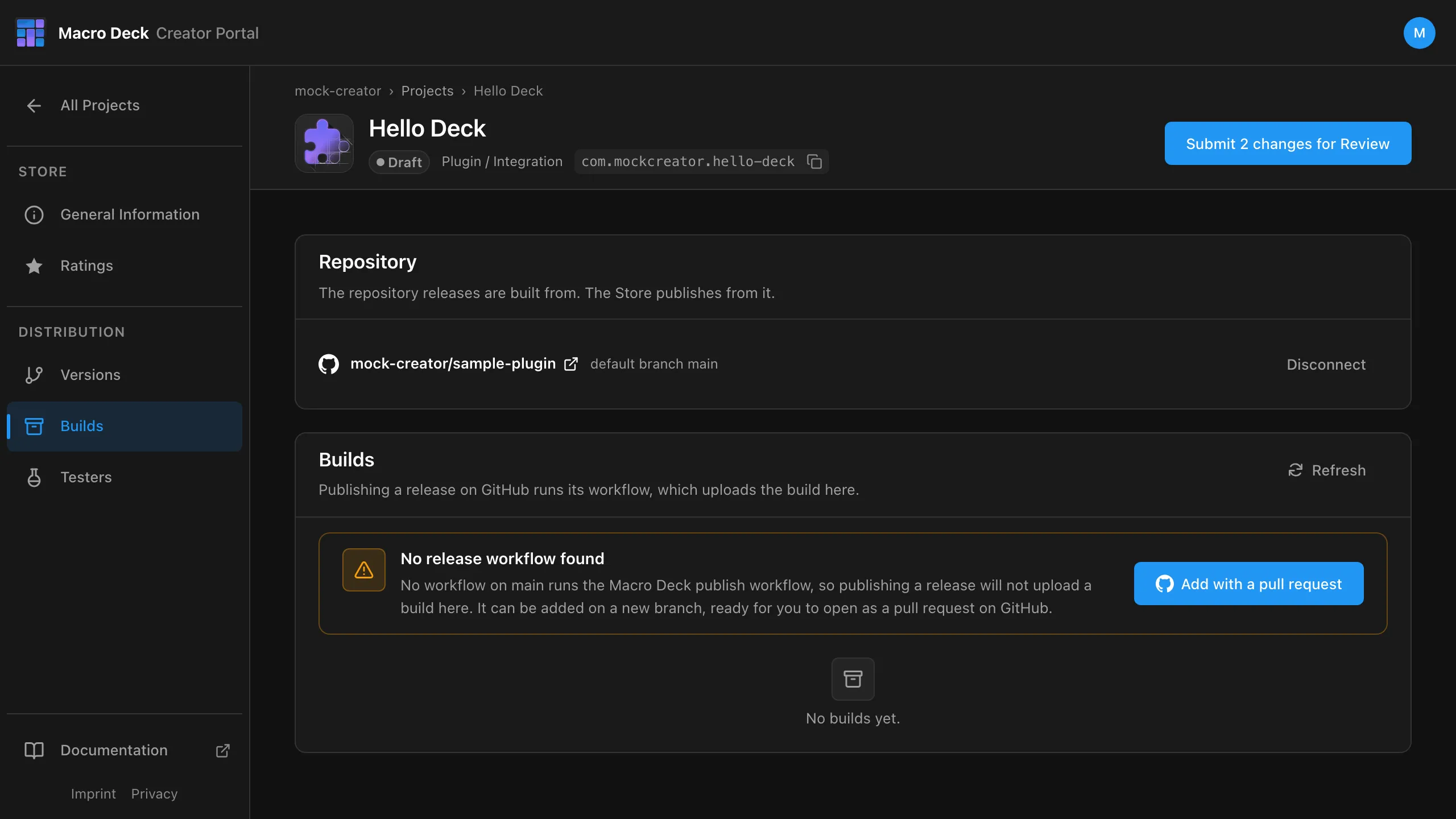
Add with a pull request commits the workflow to the branch macro-deck/release-workflow. Open the
pull request on GitHub and merge it.
Or add it yourself as .github/workflows/release.yml:
name: Release
on:  release:    types: [published]
jobs:  publish:    uses: Macro-Deck-App/GitHub-Actions/.github/workflows/publish-plugin.yml@v1    permissions:      contents: read      id-token: write    with:      version: ${{ github.event.release.tag_name }}      source: src/HelloDeck      changelog: ${{ github.event.release.body }}
source is the directory with manifest.json and macrodeck-build.json. No secrets are needed: the
workflow signs in with the token GitHub issues for the run. All inputs are in the
release workflow reference.
3. Publish a GitHub release
Section titled “3. Publish a GitHub release”gh release create v1.0.0 --title "1.0.0" --notes "- Add the Greet action"Or use Draft a new release on GitHub with the tag v1.0.0.
- The version comes from the tag. One leading
vis dropped; the rest must be a semantic version. - The version in your repository is ignored. The workflow writes the tag’s version into
manifest.json. - The release notes become the default changelog.
When the run finishes, the build appears under Builds.
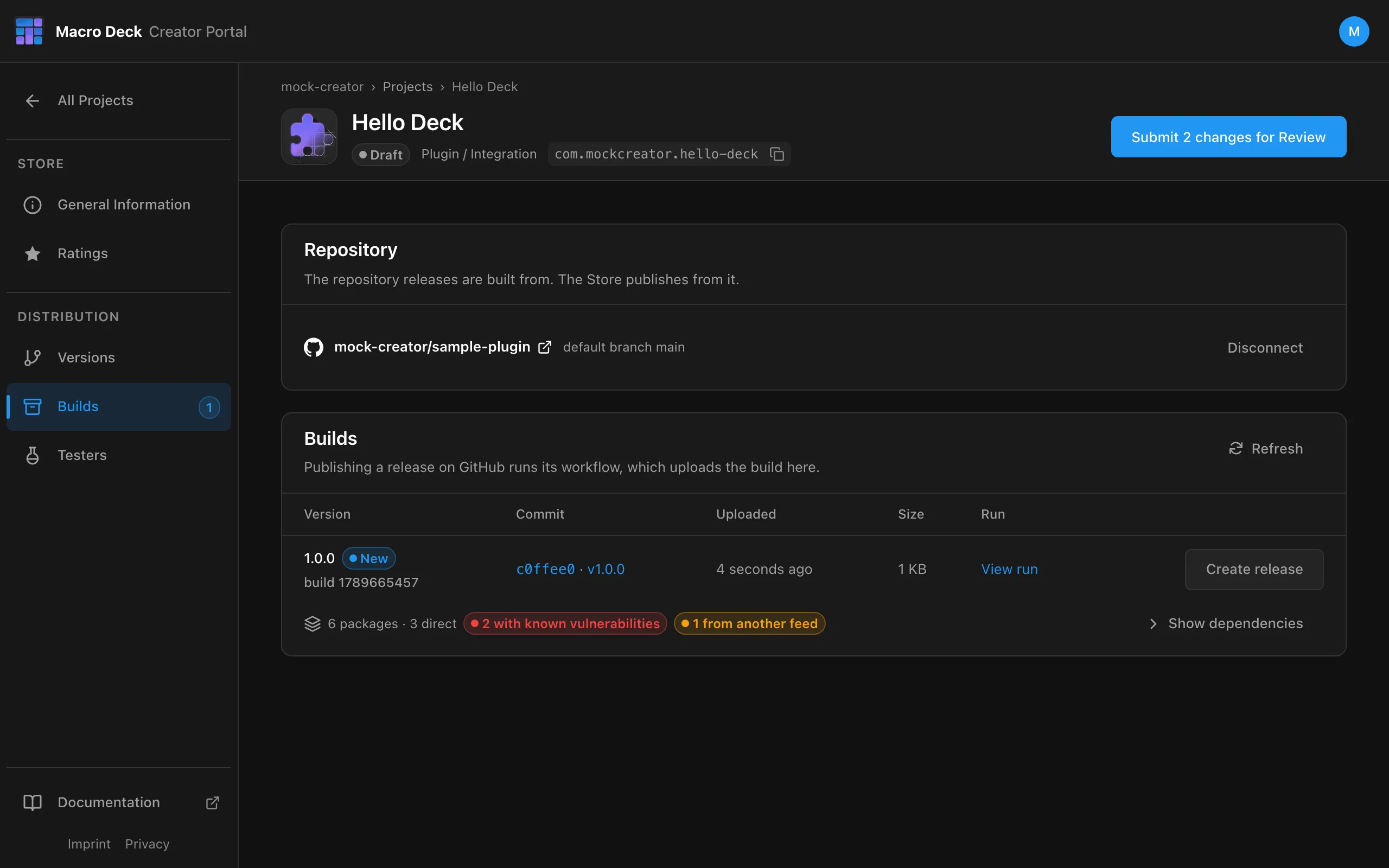
Each build shows the commit and tag it came from, a link to the workflow run and the NuGet packages it restored, including known vulnerabilities.
4. Create a release
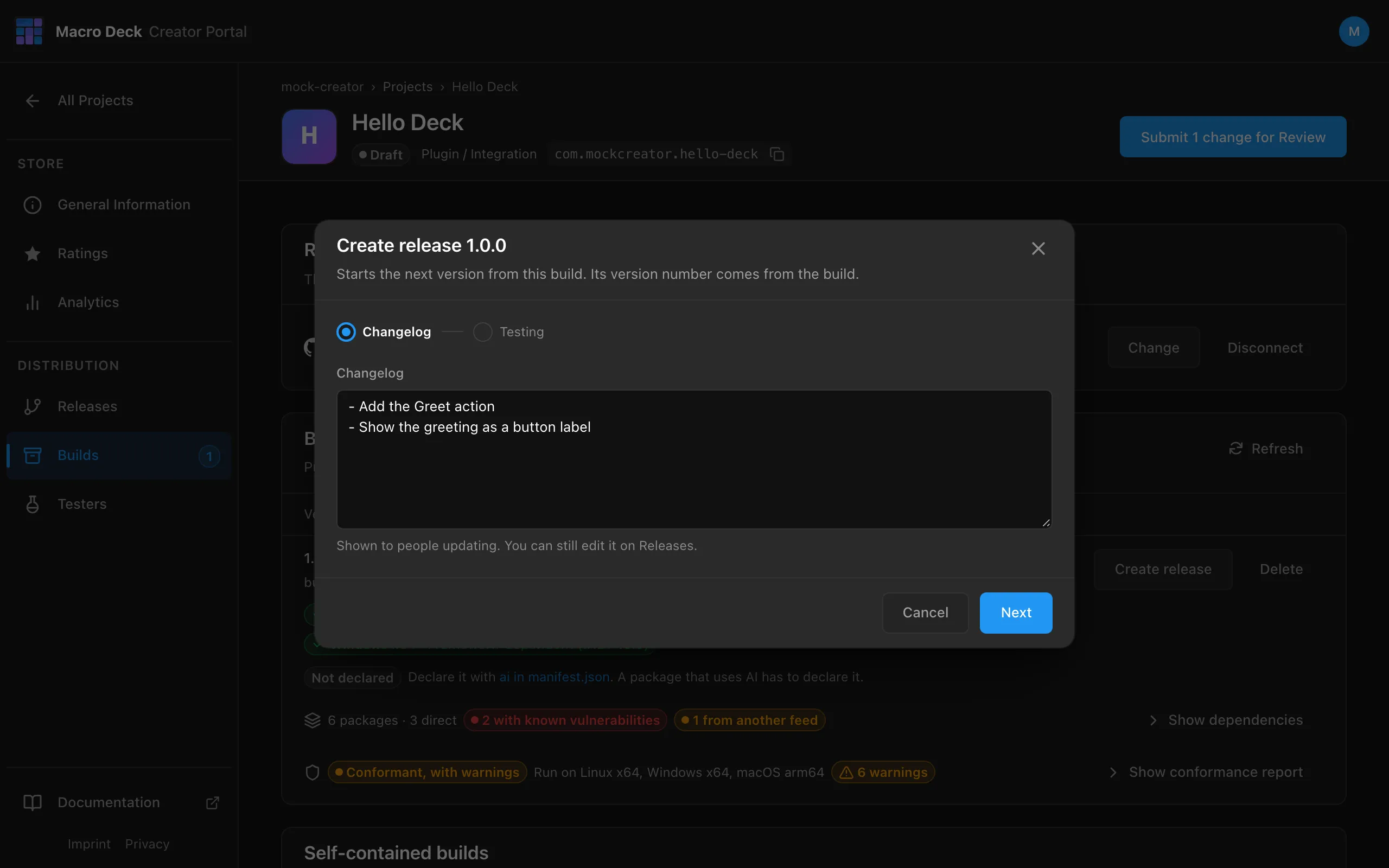
Section titled “4. Create a release”Install the build in Macro Deck and try it first. Then select Create release on the build.
The dialog has two steps. Changelog comes first; the version number comes from the build and cannot be changed, and the changelog can still be edited on Releases.
Testing asks how you tested the build. The moderator reads it with your submission.
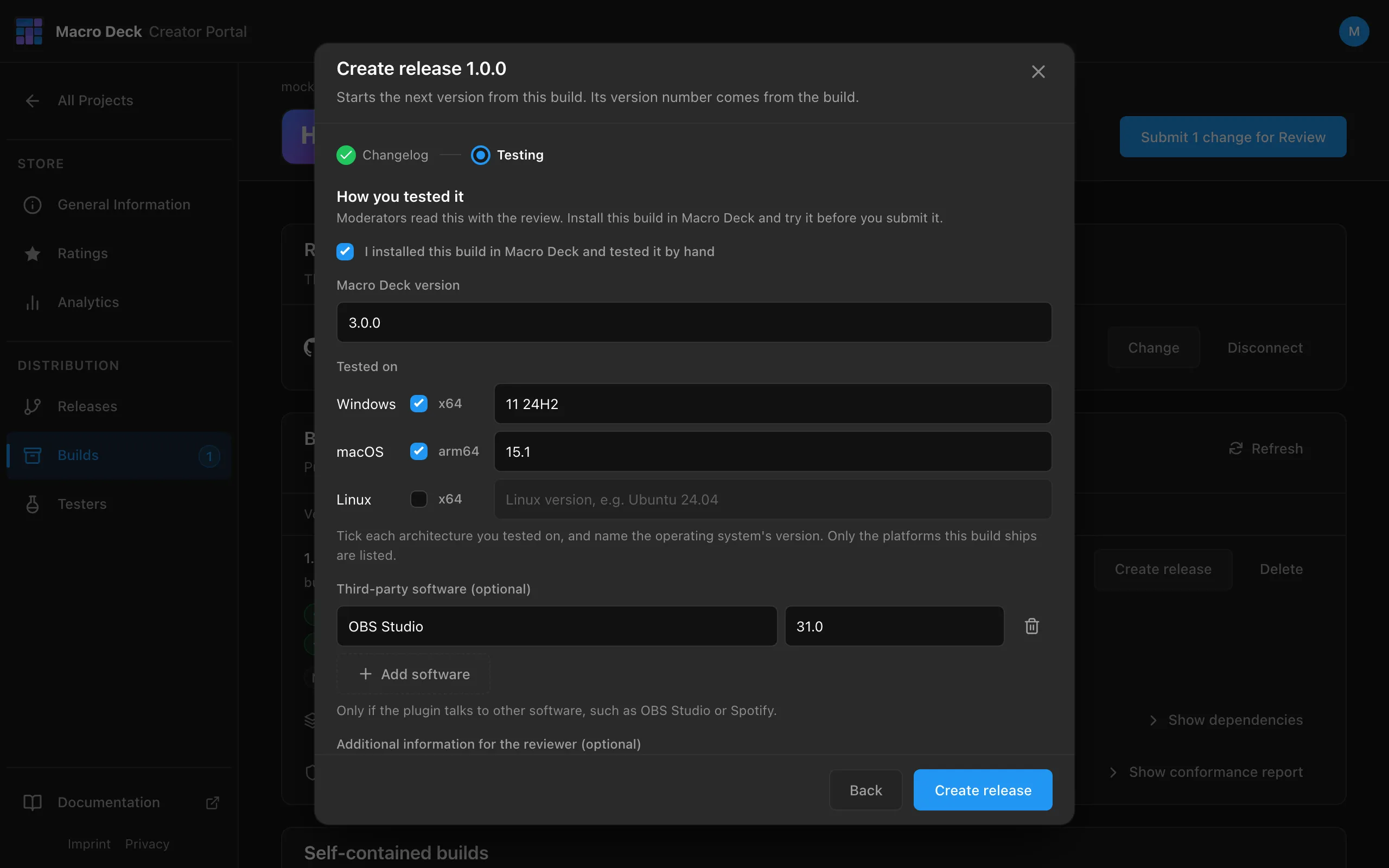
| Field | |
|---|---|
| I installed this build in Macro Deck and tested it by hand | Required. |
| Macro Deck version | Required. The version you tested with, for example 3.0.0. |
| Tested on | At least one operating system and architecture, with the operating system’s version. Only the platforms the build ships are offered. |
| Third-party software | Optional. Programs the plugin talks to, with their version, for example OBS Studio. |
| Additional information for the reviewer | Optional. Anything that helps the review: an account it needs, a setting to turn on. Not shown in the Store. |
Create release becomes available once the first box and a platform are ticked.
5. Submit for review
Section titled “5. Submit for review”On Releases, check the release and select Add to submission.
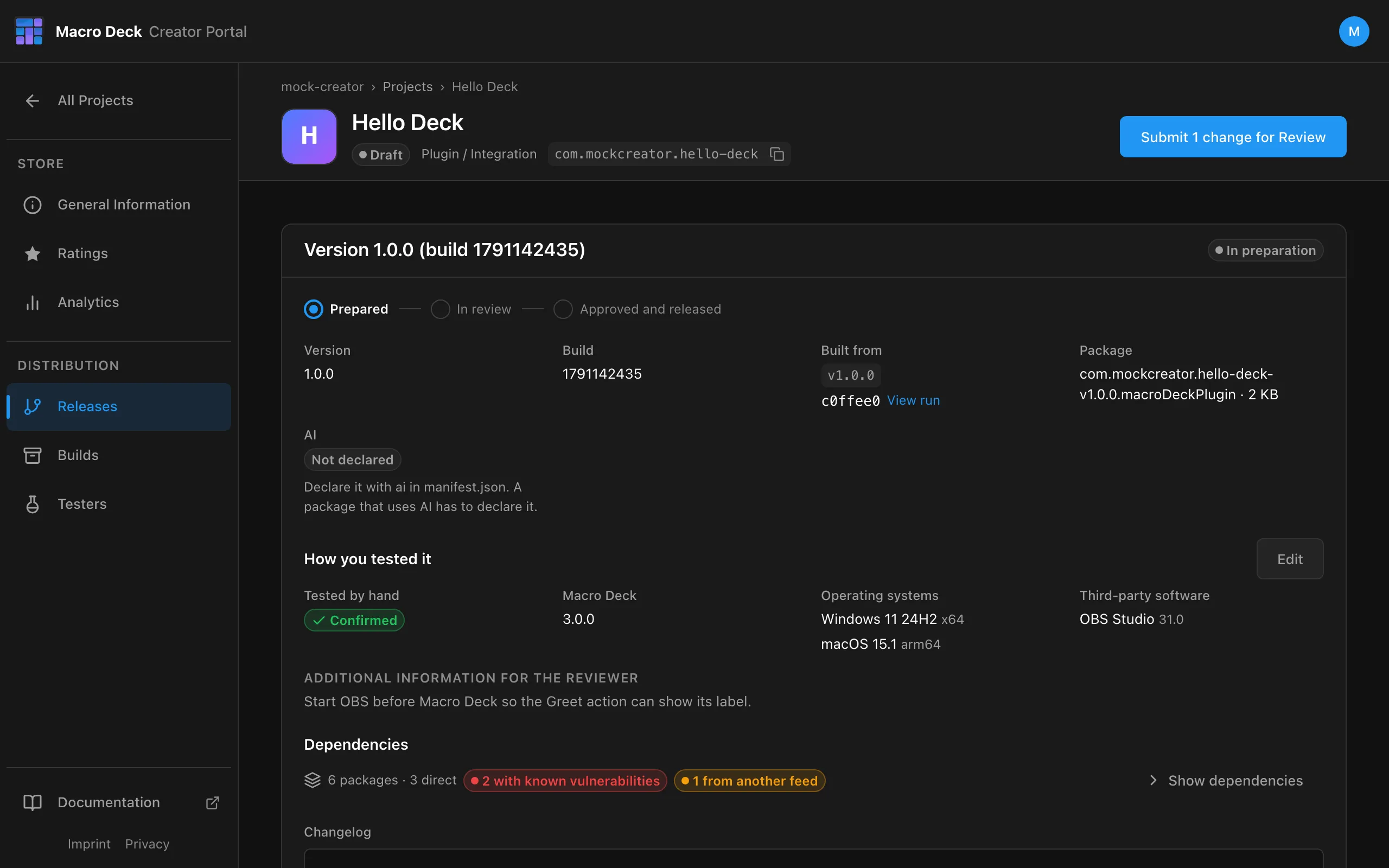
- How you tested it: Edit changes the test report until you submit.
- Release automatically once approved: turn it off to publish the approved version yourself later.
- Discard version removes the release. The build stays in the library.
Then select Submit for Review in the Project header. The dialog lists every change that goes to the moderator; Revert removes one.
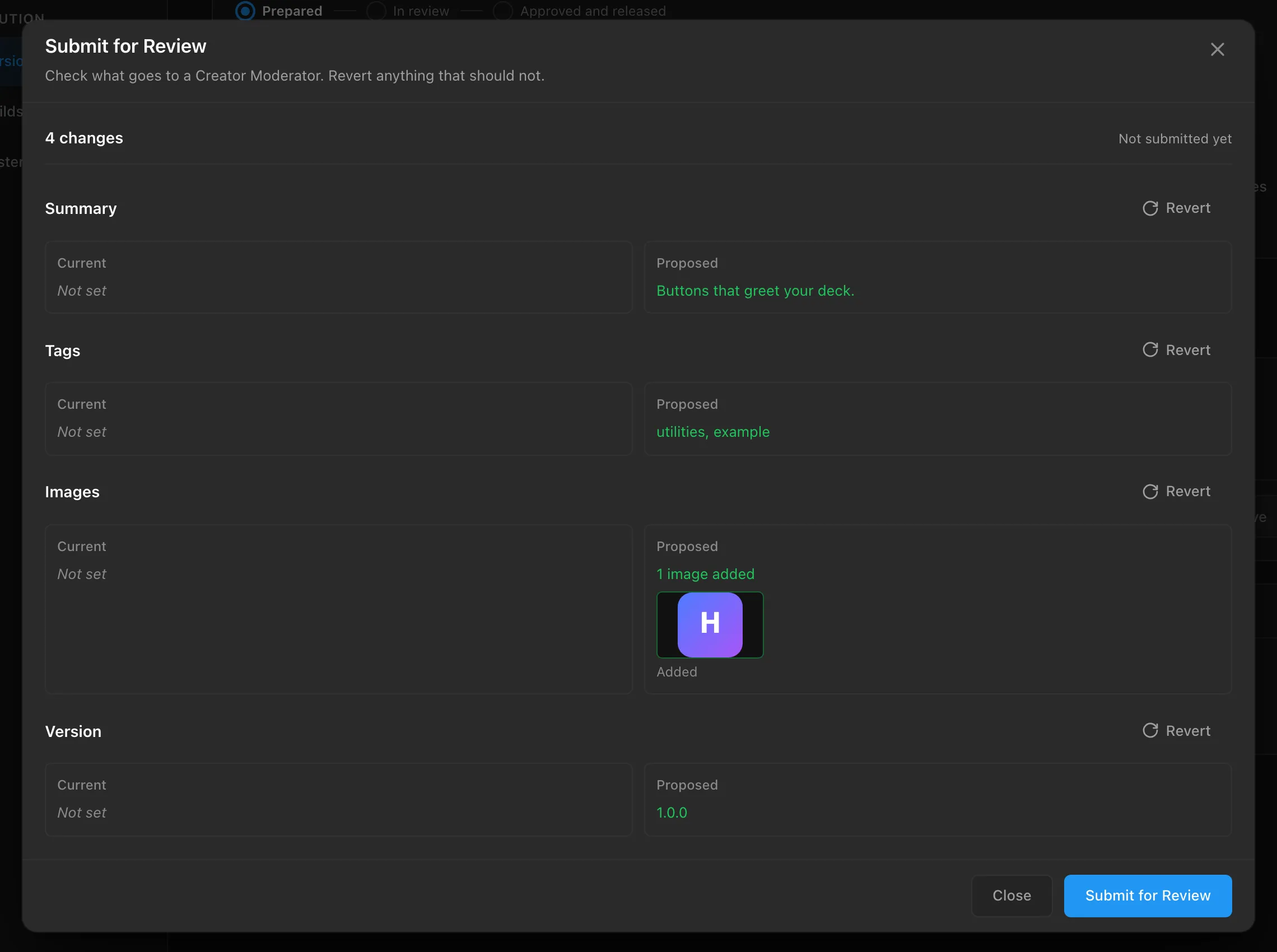
Submitting needs the current Creator Guidelines accepted; the portal asks when they are not. A release created before test reports were asked for needs one first: Add test report on Releases. Continue with Review and release.
Release an update
Section titled “Release an update”gh release create v1.1.0 --notes "- Fix the greeting on light themes"Then Create release on the new build and submit again. The version must be higher than the last published one.
- Re-running a workflow uploads a new build. It never replaces one.
- While a submission is in review, uploads are refused. Withdraw the submission first.
- Builds that no Version was started from are removed when a newer build arrives.
Troubleshooting
Section titled “Troubleshooting”| Problem | Fix |
|---|---|
| No build appears | Open the workflow run on GitHub. The upload step prints why it was refused. |
403, repository does not match |
The repository connected to the Project is not the one the workflow ran in, or manifest.json has a different id. |
409, not a tag |
The workflow ran from a branch. Trigger it with a published release. |
409, in review |
Withdraw the submission, then re-run the workflow. |
422, plugin CLI |
The build was made with a MacroDeck.Plugin.Cli older than the Store accepts. Raise cli-version, or leave it empty for the workflow’s default. |
| Repository no longer offered | It is private. Only public repositories can publish. |
See all refusals in the release workflow reference.